Azeroth Survivors not working · reference
Read the workflow and current factual reference
Project and version
Confirm the original creator entrance and client version. The WoW addon and an independent rebuild are different projects; a fix for either is not automatically a fix for the original. Keep the exact page or package source with the version.
First failing stage
Record whether the problem occurs before loading, while selecting a character, after starting a run or after enabling a package. A black loading screen and an input problem during a running game require different next checks.
Browser and graphics
Keep the actual browser name, version and graphics error text. Compare one controlled change at a time. A narrow desktop viewport is useful for layout testing but does not reproduce a phone graphics driver or memory limit.
Input and viewport
Separate a clipped panel from an unresponsive control. Note orientation, zoom, pointer or touch input and the first control that fails. A screenshot should include the affected control without exposing a personal save or account token.
Addon package structure
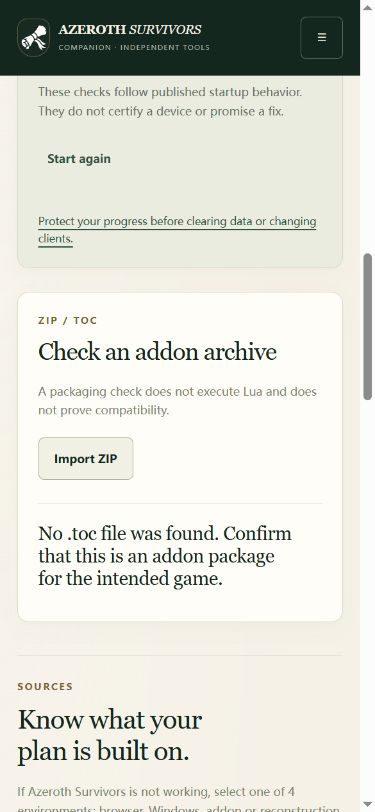
The local ZIP checker inspects a file list and manifest shape. It does not execute the addon or establish that the package is safe or compatible. A successful structural check therefore remains separate from enabling the package in the original client.
A useful reproduction
Write the smallest sequence that produces the issue, the result you expected and what actually happened. Include the current route and version. Repeating an identical failed action without changing the recorded conditions adds little diagnostic value.
Keep a useful error record before changing storage
Select the actual client and symptom above. These three distinctions prevent unrelated fixes from being mixed together.
| Visible problem | First distinction | Useful next action |
|---|---|---|
| 429 / too many people | Host-side limit, not proof of a broken save. | Wait/retry later or follow the creator-linked client route. |
| WebGPU / no adapter | Device/browser graphics path, not the same as a busy host. | Keep diagnostics and the exact device/browser details. |
| Progress appears missing | Profile/origin and save identity, not automatically file corruption. | Return to the previous entry/profile and keep a backup before importing. |
Game entry:
Game version/build:
Platform and browser:
Exact visible message:
Step that failed:
Backup kept before changes: yes / no
Copy and fill locally if needed. This note is not automatically sent; omit complete saves, private invitations and account credentials.
See a missing-TOC result
Version and evidence boundary
The current reference uses original client 0.131.0, build e7d9dd47. Static definitions and selected menu comparisons establish the named fields. They do not establish a combat benchmark, a guaranteed random drop or a successful purchase. Historical 0.125.0 information appears only inside an identified historical reference.